
MorphUp Gamepad Controls
MorphUp Roblox gamepad controls for Xbox and PlayStation. Stick movement, attack bindings, sensitivity tuning, and PvP tips for controller players. Updated f...
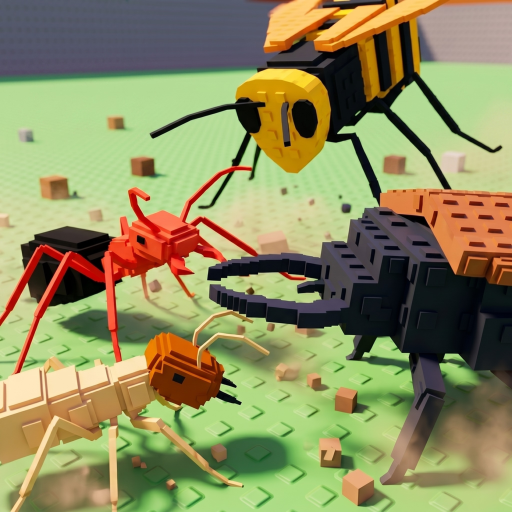
MorphUp · Unoosi Studios · Alpha
Standard Controller Mapping
MorphUp inherits Roblox default gamepad behavior unless overridden in-game. Left stick moves your morph, A or Cross jumps, and face buttons trigger Primary and Special attacks on most layouts. Right stick controls camera—critical for tracking aerial opponents in [Air] areas.
Bumpers may swap targets or activate mobility skills on certain morphs. Always read the ability bar after evolving; controller glyphs appear when Roblox detects your gamepad.
Controller Advantages and Limits
Analog movement helps fine-positioning during berry pickups near cliffs. However, camera flick speed is slower than mouse flicks unless you raise controller sensitivity in Roblox settings. Many controller players underperform in fast duels until they tune sensitivity carefully.
Menu navigation uses D-pad or cursor mode depending on Roblox version. Code redemption and morph selection take longer on controller—handle administrative tasks in lobby before teleporting to contested zones.
Recommended Settings
Enable shift lock off for free camera during fights. Increase right stick sensitivity moderately; too high causes nausea in vertical zones. Trigger stops on modern controllers improve dodge timing if mapped to mobility skills.
Wired controllers eliminate Bluetooth lag noticeable during Special cancels. Xbox and PlayStation layouts both work; Nintendo controllers may need Roblox button confirmation on first connect.
PvP Strategy on Gamepad
Play morphs with forgiving hitboxes when learning controller. Ranged Primary attacks compensate for slower camera corrections. Avoid hard-counter matchups until your aim consistency matches PC rivals.
Use audio cues—footsteps and attack windups—to pre-rotate camera before opponents enter view. Gamepad players who rely on sound track ambushes better than those who only watch screen center.
Practical gamepad play Strategies
Skilled MorphUp players treat gamepad play as a repeating loop: prepare resources, execute on a timer, review results, adjust routes. Thirty-player servers punish autopilot habits because spawn dynamics change every few minutes. After the Air update, vertical space matters as much as horizontal paths, so revisit gamepad play plans when you unlock mobility morphs.
Use the MorphUp tier list as a snapshot of current Alpha balance, not permanent truth. Unoosi Studios patches damage, berry costs, and evolution requirements based on Trello roadmap cards and Discord feedback. When gamepad play feels harder overnight, read patch notes before blaming personal skill.
Pair gamepad play with berry economy awareness. Berries heal, fund evolutions, and sometimes trigger secret interactions. Running out mid-session forces retreat and wastes XP momentum. Bank berries before pushing into PvP corridors or aerial platforms where fall damage amplifies mistakes.
Common gamepad play Mistakes
New players rush gamepad play before learning Primary and Special timing on their platform. PC, mobile, and gamepad inputs differ enough that copying a creator clip without practice leads to wasted sessions. Spend ten minutes in starter zones after each evolution.
Another mistake is ignoring Morphdex branch locks. Evolution paths can exclude morphs until later patches add bridges. Check evolution path notes before spending rare berries.
Scripts promise effortless gamepad play but risk Roblox bans and malware. Legal alternatives on this wiki—farming builds, XP calculator sessions, Morphdex checklist planning—approach similar efficiency without threatening your account.
Alpha Expectations and Updates
MorphUp launched in Alpha February 2026 and continues evolving publicly. Features move on Trello between testing and release. Codes may be absent for weeks, then appear in Discord announcements for short windows. Plan long grinds in phases instead of single marathon days.
Community events, visit milestones, and themed updates like Air reshape priorities. Flexible players rotate between PvP builds, farming routes, and secret exploration instead of forcing one strategy all week.
This page updates when verifiable in-game behavior or official posts change. If something here conflicts with your session, trust live gameplay first and report discrepancies so the wiki can catch up quickly.
Extended Notes
Back-button paddles on elite controllers can mirror face-button attacks if Roblox exposes remapping at the system level. This helps keep thumbs on sticks during aerial fights from the Air update. Test private lobby movement before taking paddled bindings into berry-heavy PvP corridors.
Back-button paddles on elite controllers can mirror face-button attacks if Roblox exposes remapping at the system level. This helps keep thumbs on sticks during aerial fights from the Air update. Test private lobby movement before taking paddled bindings into berry-heavy PvP corridors.